

Blog Module
A blog is a web-log, an informal way to communicate with your customers. A Blog can be useful for journal-type updates and expressing viewpoints. Blogs are also good for generating search engine traffic and keeping an audience on your website.
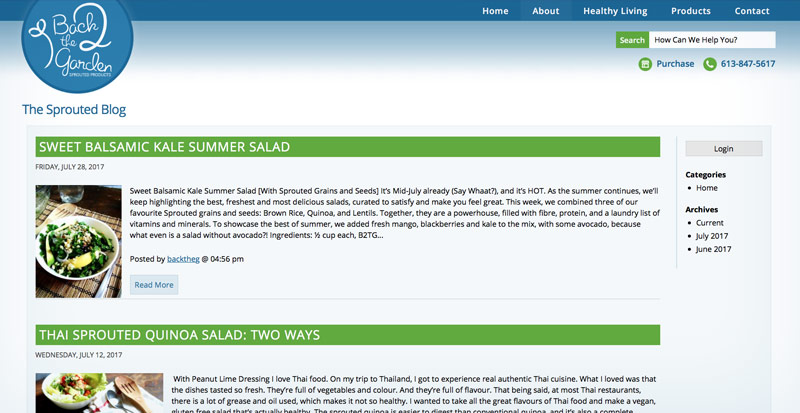
Above: Our blog module in use on back2thegarden.ca
Features
- Update your blog anytime, from anywhere there is an internet connection!
- Log in to the blog directly from the webpage, without having to access the SiteApex admin.
- Categorize your topics with unlimited categories.
- Add posts to multiple categories.
- Automatically creates archives by date.
- Logged in users can post comments on your articles.
- Logged in users can rate comments with "like" or "dislike".
- Blog can be set up to produce a RSS feed, allowing users to subscribe to receive updates from your Blog.
- The RSS feed allows your blog to post updates on other sites such as Facebook.
- Each post creates its own "search engine friendly" URL for easy sharing and linking.
- A "Share" button at the bottom of each post encourages readers to share a link to your post on other sites such as Facebook and Twitter.
- Built in keyword search to help you quickly find posts
Bonus
The Blog module has a template plugin that will display your most recent post on your homepage or elsewhere in the design template.
View Demo >>